You Should Leave College with a Degree. Not Debt.
You earned your military benefits and we want to make sure you get what you deserve. We created the checklist below, outlining the steps to use or apply for your GI Bill® benefits.
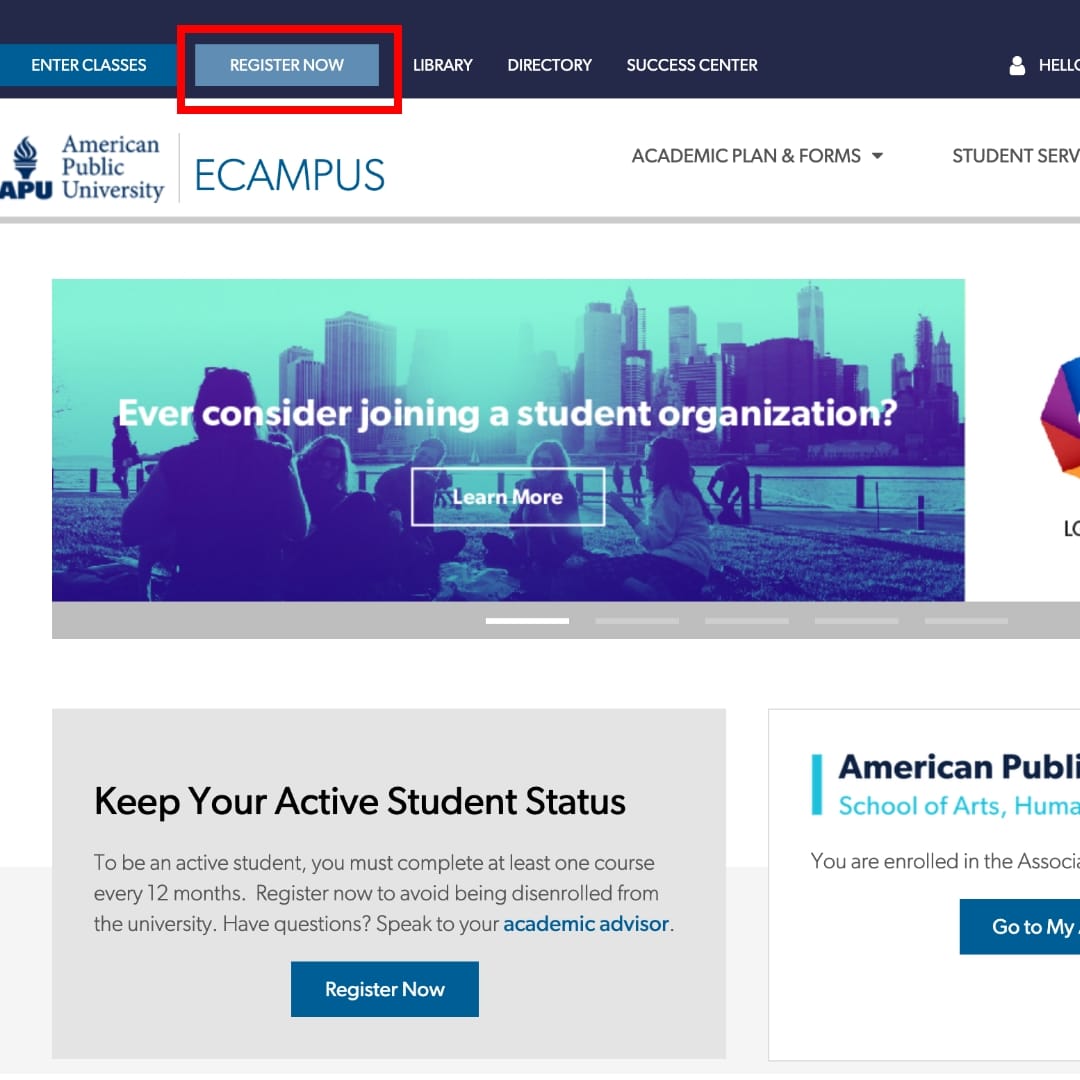
Register For Classes
- Select Register Now at the top of your ecampus to get started
- Select your course and start date
- Review the Attendance Requirement and Military TA Disclosure Policy
- Verify your Contact Information
- Since Montgomery GI Bill®1 benefits are paid directly to the student, APUS requires anyone using this benefit to make payment arrangements during registration. When registering, please select the Veterans Benefits (Montgomery GI Bill®) payment type located under Military Payment Options. You will then be prompted to select a self-pay option of either credit card, electronic check (ACH) or automatic debit plan (ADP).
You may also use Federal Student Aid (FSA) to cover the cost of tuition. If you have any questions regarding FSA, you may contact a Financial Aid Advisor at 877-755-2787 or finaid@apus.edu.
Due to Department of Veteran’s Affairs regulations, if you do not select the “VA” registration type, you are required to complete an enrollment consent form. If you register using Federal Student Aid, our Military Assistance Team will send you a VA Student Consent Form for you to complete. Without a completed form, we will not be able to submit your enrollments to the VA for your courses. Additionally, you will need to complete a consent form for each session/course you registered for where you did not select the VA payment option.
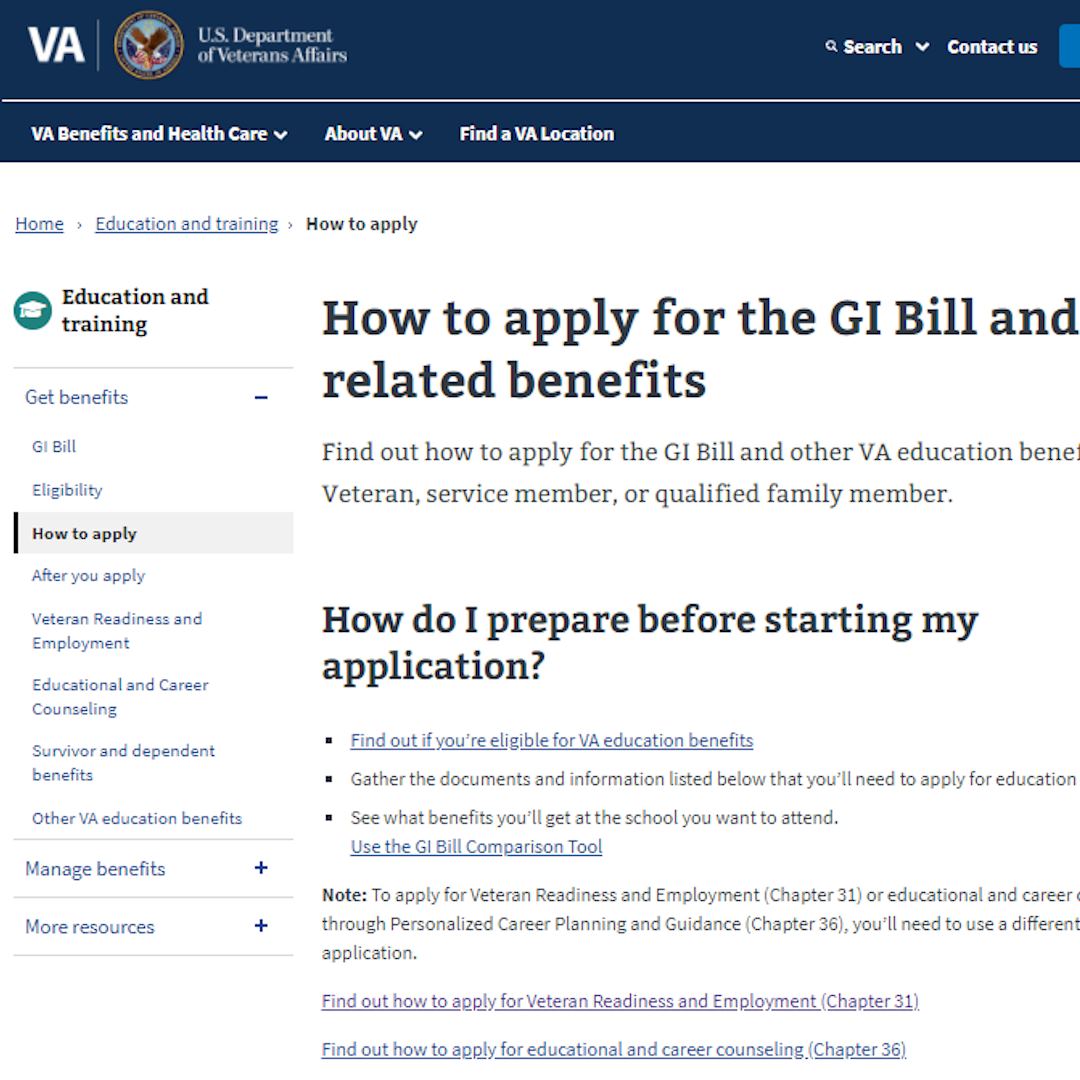
Apply for Veteran's Benefits
If you have never applied for or used GI Bill®1 benefits, visit the VA website and complete application form 22-1990. If you are using Chapter 35 benefits, complete application form 22-5490. When completing the application, please use the following information for the school:
American Public University System
111 West Congress Street
Charles Town, WV 25414

Send Required Paperwork
The VA will process your application and send you a Certificate of Eligibility (COE).
Upload a clear copy of your VA paperwork through the secure My Documents portal, using your eCampus login credentials. You can also email your documents to
VAQuestions@apus.edu. Please ensure all email attachments are in a PDF or image file format.
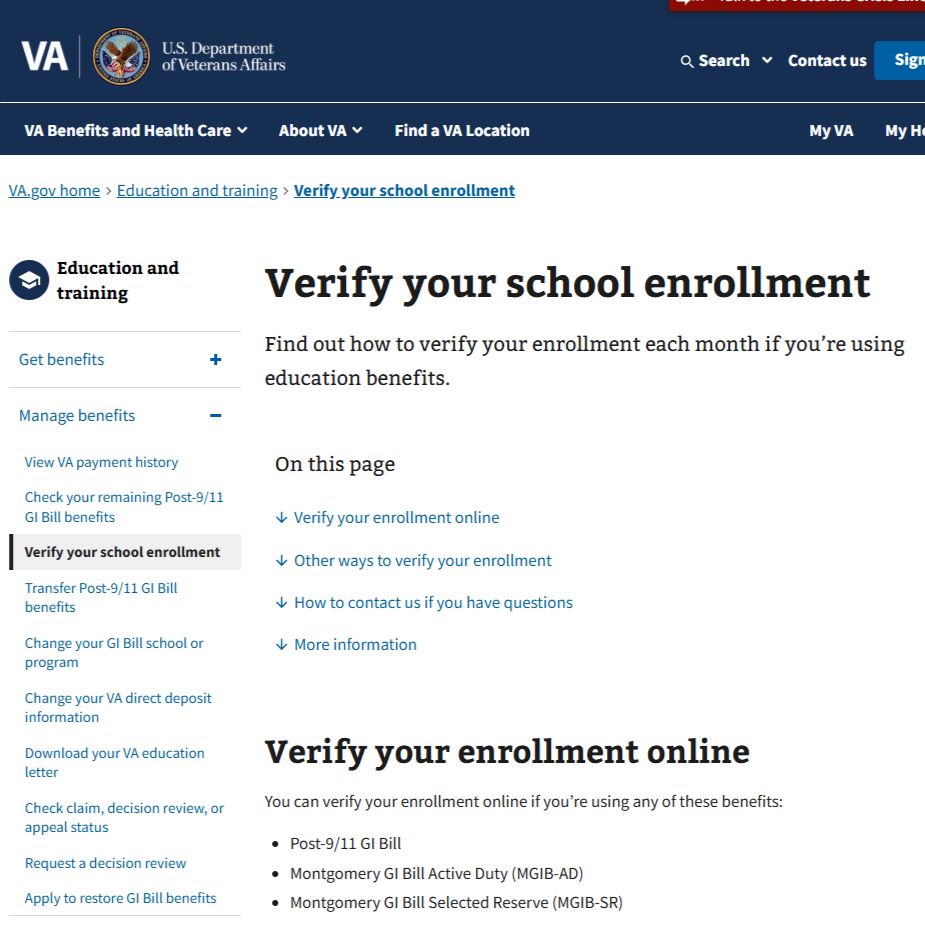
Submitting Enrollment Certifications and Verify Enrollment
Our Military Assistance Team submits enrollment certifications to the VA after the add/drop period.
In order to prompt the VA to issue your monthly payment, you must verify your attendance at the end of each month with the Department of Veterans Affairs. You may begin verification no earlier than the last day of the month in which you have course enrollments. For additional information on enrollment verification, please visit the VA website at https://www.va.gov/education/verify-school-enrollment/. Please contact the Department of Veterans Affairs directly with any questions regarding enrollment verification at 888-442-4551 or submit an online inquiry at https://ask.va.gov.
- Select Register Now at the top of your ecampus to get started
- Select your course and start date
- Review the Attendance Requirement and Military TA Disclosure Policy
- Verify your Contact Information
- Since Montgomery GI Bill®benefits are paid directly to the student, APUS requires anyone using this benefit to make payment arrangements during registration. When registering, please select the Veterans Benefits (Montgomery GI Bill®) payment type located under Military Payment Options. You will then be prompted to select a self-pay option of either credit card, electronic check (ACH) or automatic debit plan (ADP).
You may also use Federal Student Aid (FSA) to cover the cost of tuition. If you have any questions regarding FSA, you may contact a Financial Aid Advisor at 877-221-3841 or finaid@apus.edu.
Due to Department of Veteran’s Affairs regulations, if you do not select the “VA” registration type, you are required to complete an enrollment consent form. If you register using Federal Student Aid, our Military Assistance Team will send you a VA Student Consent Form for you to complete. Without a completed form, we will not be able to submit your enrollments to the VA for your courses. Additionally, you will need to complete a consent form for each session/course you registered for where you did not select the VA payment option.
If you have never applied for or used GI Bill® benefits, visit the VA website and complete application form 22-1990. If you are using Chapter 35 benefits, complete application form 22-5490. When completing the application, please use the following information for the school:
American Public University System
111 West Congress Street
Charles Town, WV 25414
The VA will process your application and send you a Certificate of Eligibility (COE).
Upload a clear copy of your VA paperwork through the secure My Documents portal, using your eCampus login credentials. You can also email your documents to VAQuestions@apus.edu. Please ensure all email attachments are in a PDF or image file format.
Our Military Assistance Team submits enrollment certifications to the VA after the add/drop period.
In order to prompt the VA to issue your monthly payment, you must verify your attendance at the end of each month with the Department of Veterans Affairs. You may begin verification no earlier than the last day of the month in which you have course enrollments. For additional information on enrollment verification, please visit the VA website at https://www.va.gov/education/verify-school-enrollment/. Please contact the Department of Veterans Affairs directly with any questions regarding enrollment verification at 888-442-4551 or submit an online inquiry at https://ask.va.gov.